|
|
|
|
|
|
| |
|
Review
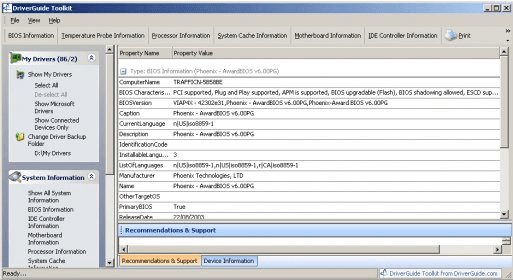
DriverGuide Toolkit is a versatile program that will find and display all your device drivers installed on your computer. When you load DriverGuide, the software immediately begins to list the devices on your computer, and when this task is finished, you will be able to see all your drivers perfectly categorized. The application will also help you to search for driver updates and make a backup of all your drivers.
Some Key features of DriverGuide:
- Searching for Driver updates. The application is able to search driver updates on the DriverGuide.com online database, If a match is found, you can download the drivers directly from the interface. You can also use the Search Manufacturer Web Site or Search Google Web Site options for additional help in tracking down device drivers and information related to those drivers.
- Backup & Restore Drivers. DriverGuide lets you to make a complete backup of all your drivers and in any case your computer crashes, and any device doesn't work properly, you can restore in an easy way.
- Remote Connections. DriverGuide will not only help you with your device drivers, but also make remote connections or manage then in an easy way.
Limitations. Backup installed drivers, identify unknown hardware, and get manufacturer info are available only for plus and pro version. |
|
- Backup feature is available only on Plus or Pro version.
|
|
Reviewed by: Daniel Mantilla Reviewer rating:  |
|
|
Screenshots
|
|
|